Tag Archives: dns

Mr. DNS: Free DNS and Network Diagnostic Tools for Sysadmins and Email Teams

Mr. DNS is a free collection of DNS and network diagnostic tools built for sysadmins, email administrators, and infrastructure teams. The site has been around for years, went offline for a while, and recently relaunched with an expanded tool set. Everything runs in the browser with no account required. If you work with DNS records, mail servers, or IP reputation, there is something here you will use regularly.
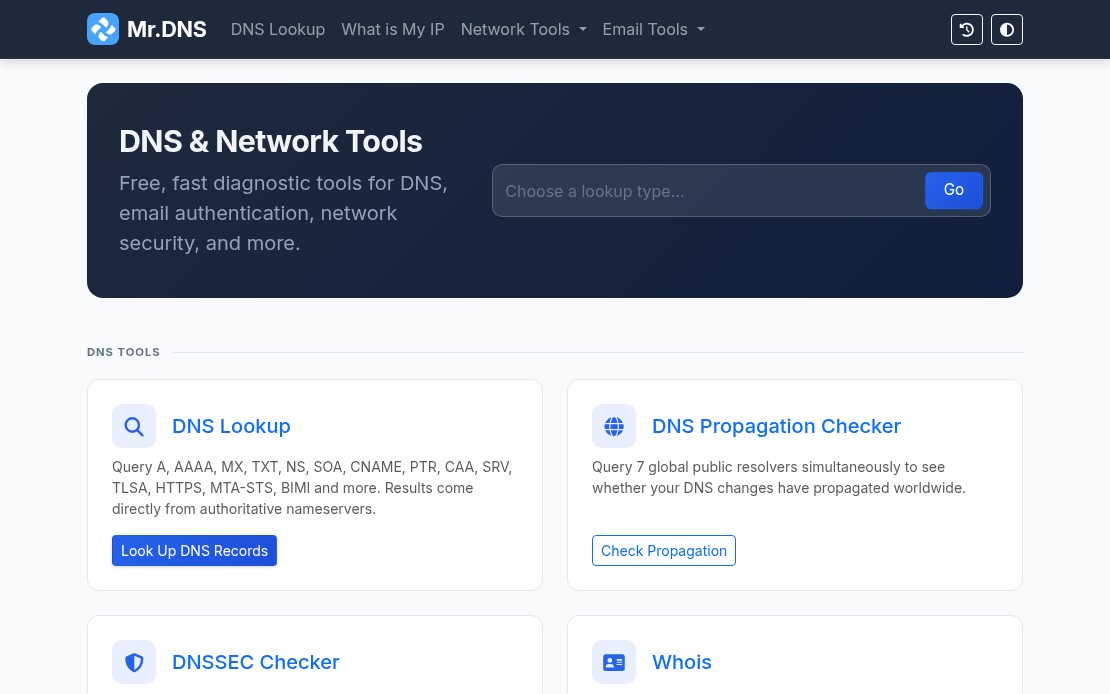
Mr. DNS homepage showing DNS and network diagnostic tools

DNS Tools

The DNS lookup tool handles all common record types: A, AAAA, MX, TXT, NS, SOA, CNAME, PTR, CAA, SRV, TLSA, HTTPS, MTA-STS, and BIMI. Results include TTL, geolocation data for nameservers, and flag icons for quick visual scanning.

The DNS propagation checker queries seven global resolvers simultaneously: Cloudflare, Google, Quad9, OpenDNS, AdGuard, NextDNS, and DNS.SB. Useful when you have just made a DNS change and need to see where it has landed without waiting or querying each resolver manually.

The DNSSEC checker validates the full chain of trust: DS records, DNSKEY records, RRSIG presence, and expiry. Good for confirming a DNSSEC deployment before and after changes.

Email Tools

The email tools are where Mr. DNS gets most of its daily use. The email health checker runs a combined SPF and DMARC evaluation and returns a letter grade (A through F) for your domain. One URL, one result, easy to share with a client or manager who needs a status report.
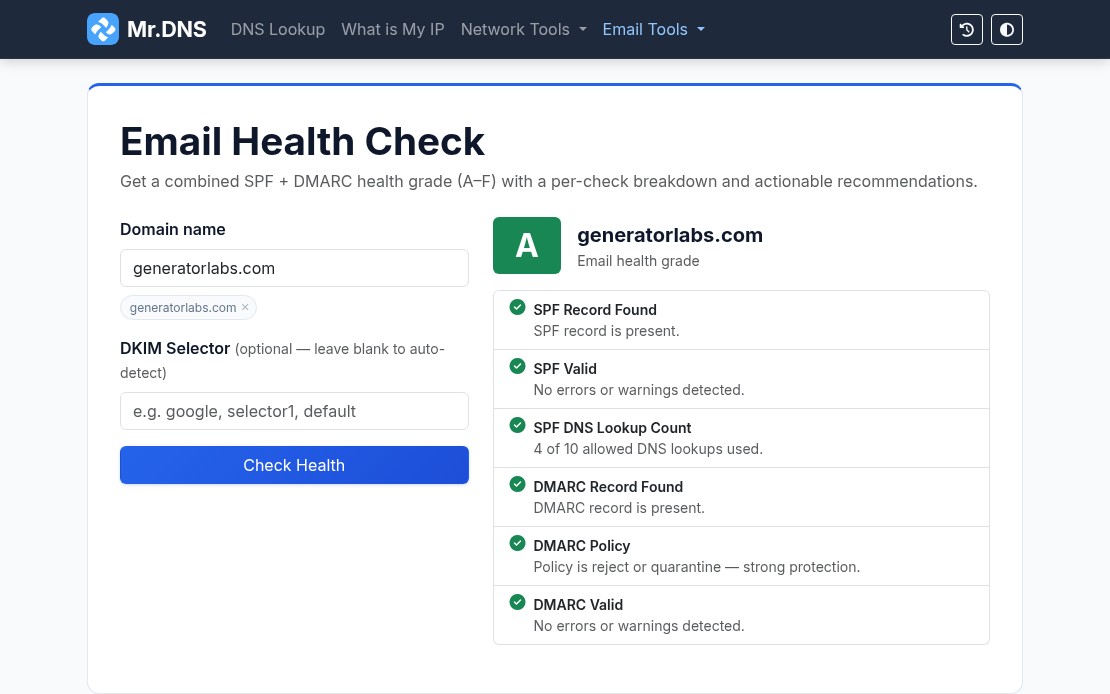
Mr. DNS email health checker showing an A grade for generatorlabs.com

Individual checkers are also available for SPF, DMARC, and DKIM when you need to dig into a specific record. The email header analyzer parses raw RFC 2822 headers and maps the full relay chain with per-hop timing and authentication results, useful for tracing a delivery failure or diagnosing a spam classification issue.

For teams managing outbound mail infrastructure, the MTA-STS checker validates DNS records and policy files, and the BIMI checker verifies SVG logos and VMC certificates for domains using brand indicators in supported mail clients.

Blacklist Checker

The blacklist checker queries your IP or domain against 15+ major RBLs and returns results in seconds. It is a solid first step when a client reports deliverability problems or when you are onboarding a new IP range and want a quick baseline.

For teams that need ongoing coverage rather than one-off checks, blacklist monitoring from Generator Labs runs continuous checks against hundreds of data sources and sends immediate alerts when a listing is detected. The free tier covers one host with no credit card required.

SSL and Network Tools

The SSL certificate checker inspects certificate details, expiry dates, SANs, issuer chain, and key type for any domain. Useful for a quick manual check before or after a certificate renewal.

For automated tracking across many domains, certificate monitoring from Generator Labs handles the ongoing work: scheduled checks, configurable expiry alert thresholds, and multi-channel notifications before anything expires.

Other network tools include ping, traceroute, port checker, HTTP headers inspector, HTTP/2 and HTTP/3 checker, and a what is my IP tool that detects both IPv4 and IPv6 with geolocation and ASN data.

Generators

Mr. DNS includes generators for SPF records and DMARC records for teams setting up email authentication from scratch. Both walk through the options and output a ready-to-paste DNS record.

Bottom Line

Mr. DNS covers the diagnostic side of DNS and email infrastructure without requiring an account or payment. For the monitoring side, Generator Labs provides continuous blacklist monitoring and certificate monitoring with alerting, picking up where the one-shot tools leave off. Both are worth bookmarking if you manage any kind of mail or DNS infrastructure.

Net_DNS2 v1.4.4 – Bugfixes and Updates for PHP 7.2

I’ve released version 1.4.4 of the PEAR Net_DNS2 library- this release is primarily just bug fixes.

You can install it now through the command line PEAR installer:

pear install Net_DNS2

Or, you can also add it to your project using composer:

composer require pear/net_dns2

Version 1.4.4

  • Bugfix when returning an empty bitmap-type in BitMap.php – patch from BugMaster510945.
  • Added the BIND 9 private record RR (TYPE65534) – patch from BugMaster510945.
  • Added DNSSEC algorithms 13-16 (ECDSAP256SHA256, ECDSAP384SHA384, ED25519, and ED448).
  • Added SSHFP algoritm ED25519.
  • Modified Net_DNS2::sendPacket() to use current()/next() rather than the deprecated each() (deprecated in 7.2).

Net_DNS2 v1.4.3 – Interim Bugfix Release

I’ve released version 1.4.3 of the PEAR Net_DNS2 library- this release is primarily just bug fixes.

You can install it now through the command line PEAR installer:

pear install Net_DNS2

Or, you can also add it to your project using composer:

composer require pear/net_dns2

Version 1.4.3

  • fixed an issue when looking up . or com., when using the strict_query_mode flag.
  • fixed a bug in the caching logic where I was loading the content more than once per instance, when really I only need to do it once.
  • changed the Net_DNS2::sock array to use the SOCK_DGRAM and SOCK_STREAM defines, rather than the strings ‘tcp’ or ‘udp’.
  • fixed a bug in the Net_DNS2_Header and Net_DNS2_Question classes, where I was using the wrong bit-shift operators when parsing some of the values. This only became apparent when somebody was trying to use the CAA class (id 257); it was causing this to roll over to the next 8 bit value, and returning 1 (RR A) instead of the CAA class.
  • fixed a bug that occurs when a DNS lookup request times out, and then the same class is reused for a subsequent request. Because I’m caching the sockets, the timed out data could eventually come in, and end up being seen as the result for a subsequent lookup.
  • fixed a couple cases in NSAP.php where I was comparing a string to an integer.

Net_DNS2 v1.4.2 – SMIMEA and AVC Resource Records and SHA-256 SSHFP

I’ve released version 1.4.2 of the PEAR Net_DNS2 library- you can install it now through the command line PEAR installer:

pear install Net_DNS2

Or, you can also add it to your project using composer:

composer require pear/net_dns2

Version 1.4.2

  • changed the role for the README.md file to doc.
  • parse the resolv.conf options line; right now I just support the timeout and rotate options.
  • the options values only work if you set the new option use_resolv_options to true; this is to keep backwards compatibility.
  • added support for RFC 6594; support for SHA-256 and ECDSA in the SSHFP resource record.
  • added the SMIMEA resource record; this just extends the TLSA record.
  • added the AVC resource records; this just extends the TXT record.
  • added error and EDNS0 defines for DNS Cookies (RFC7873).
  • added EDNS0 defines to the lookup class.
  • dropped the Net_DNS2_Packet::formatIPv6() function; this was deprecated in v1.1.3.
  • re-wrote the Net_DNS2::expandIPv6() function. Based on testing, the new version is about twice as fast.

How Do RBLs Affect Me? (Part 3)

Originally posted on Generator Labs

In Part 1 and Part 2 of our series, I talked about what RBLs are, how they work, and how RBLs are used by administrators to control the day-to-day onslaught of SPAM on their email systems. In this article I’m going to talk about how RBLs affect you, your business, and why you should care.

So Why Do I Care?

Getting listed on an RBL or URIBL is not uncommon- it happens.

  • Maybe you have a customer using your email platform that didn’t quite understand the rules against bulk email.
  • Maybe one of your employees downloaded some virus infested software that started sending SPAM to all the contacts in their email client.
  • Maybe your email administrator made a mistake when configuring your email system, and opened you up as an open relay.
  • Maybe the WordPress or Drupal installation on your website was compromised, and injected with phishing code.

We all do our best to ensure that these types of errors aren’t the norm, but human error happens.

As a mail recipient, RBLs protect you from these issues by rejecting these messages before they land in your inbox. As a mail sender, RBLs protect others FROM your issues- and limit your overall liability, by reducing the number of messages delivered.

By listing compromised mail servers and website domains, and using these RBLs and URIBLs in our mail systems, we effectively limit the spread of SPAM and phishing websites, which is good for everybody.

Sounds Great- What’s the Catch?

Once you’re listed- as the name indicates- you’re “black-holed”- much of your email won’t be reaching its destination, and traffic to your websites could be limited.

If your business relies on email communication- either as a tool, or a product- then the longer you’re listed, the worst it is for your bottom line, and your reputation. It looks really bad if your customers email you, and get a bounce message indicating that your email system has been blocked.

The sooner you know there is an issue, the sooner the issue can be resolved, and the sooner you can request delisting from the RBLs in question.

Generator Labs

Generator Labs provides a fully automated RBL monitoring service, which checks your IP addresses and website domains, against a customizable list of the top DNSBLs, and will alert you immediately if your system is listed.

Don’t wait days or weeks to find out that your email hasn’t been reaching your customers- click here to find out more!