Category Archives: Mr.DNS

Why Your DNS Change Looks Different From Eight Places at Once

“Waiting for DNS to propagate” is the most common description of something that does not happen. There is no propagation in DNS. Nothing is pushed anywhere. Understanding what is actually going on turns a mysterious waiting period into an arithmetic problem you can predict and control.

Nothing Travels

When you change a record, exactly one thing happens: your authoritative nameservers start returning a new answer. That change is complete the moment the zone reloads, which is usually seconds. Any resolver that asks after that gets the new value immediately.

What varies is when each resolver next bothers to ask, and that is governed entirely by the TTL of the answer it cached before you made the change. A resolver holding a record with a 3600 second TTL will keep serving the old value for up to an hour, and no action on your end reaches inside its cache. You are not waiting for something to spread. You are waiting for copies to expire.

This is why checking from eight locations gives eight different answers during the window, and why the pattern looks random. Each of those resolvers cached at a different moment, so each expires at a different moment. The propagation checker on mrdns.com is really a cache-expiry checker, and reading it that way makes the staggered results obvious.

The TTL That Matters Is the Old One

Here is the part that trips people up. Lowering a record’s TTL right before you change it does nothing useful, because resolvers are still holding the copy they fetched under the previous, longer TTL.

; Monday: the value resolvers have cached
www.example.com.    86400    IN    A    203.0.113.10

; Friday: lowered TTL and changed the address at the same time
www.example.com.      300    IN    A    203.0.113.55

A resolver that cached on Monday holds the old address for a full day regardless of what Friday’s record says, because it will not re-ask until its copy expires. The 300 second TTL only starts applying to whatever it fetches next.

The sequence that works is to lower the TTL first, wait at least the old TTL so every cached copy expires and gets replaced by a short-lived one, and only then change the value. Now the maximum staleness is 300 seconds. Raise the TTL again once the change has settled.

For a planned migration that means starting a day or two ahead. Doing it the other way around and then waiting is the origin of most “DNS is still propagating” complaints.

Negative Answers Cache Too

If someone queries a name before it exists, the NXDOMAIN gets cached. The lifetime of that negative answer comes from the zone’s SOA record, specifically the minimum field, per RFC 2308:

example.com.  IN  SOA  ns1.example.com. hostmaster.example.com. (
                  2026081101   ; serial
                  7200         ; refresh
                  3600         ; retry
                  1209600      ; expire
                  3600 )       ; minimum, caps negative caching

A large minimum means that a name someone checked prematurely stays broken for them long after you create it. An hour is reasonable. The multi-day values that appear in copied-and-pasted zone files are not, and they produce the particularly confusing case where a brand new hostname works for most of the world and not for the one person who tried it early.

The Other Places Answers Hide

Delegation TTLs are longer than record TTLs and get overlooked. If you change nameservers, the parent zone’s NS records govern how long resolvers keep asking your old provider, and those are often set to a day or two by the registry. The records at your new provider can be perfect while resolvers continue to consult the old one.

CNAME chains expire independently. Each link has its own TTL, so the effective staleness is set by whichever link is longest, and updating the target does nothing for a resolver still holding the alias.

Then there is everything below the resolver: the stub resolver on the client, the browser’s own cache, and any corporate forwarder in between. Chrome caches independently of the operating system, which is why a page can stay stubbornly wrong on one machine after dig on the same machine returns the new value.

How to Check Properly

Query the authoritative server directly to confirm the change is live, then query a public resolver to see what the cached world still believes:

dig @ns1.example.com www.example.com A +norecurse
dig @8.8.8.8 www.example.com A

The TTL in the second answer counts down toward zero, and it tells you precisely how much longer that resolver will serve the old value. That number is the actual answer to “how long until this is done”, and it is available immediately rather than after waiting to find out. If you want the same view without a terminal, the lookup tool shows the returned TTL alongside the record.
Mr. DNS: Free DNS and Network Diagnostic Tools for Sysadmins and Email Teams

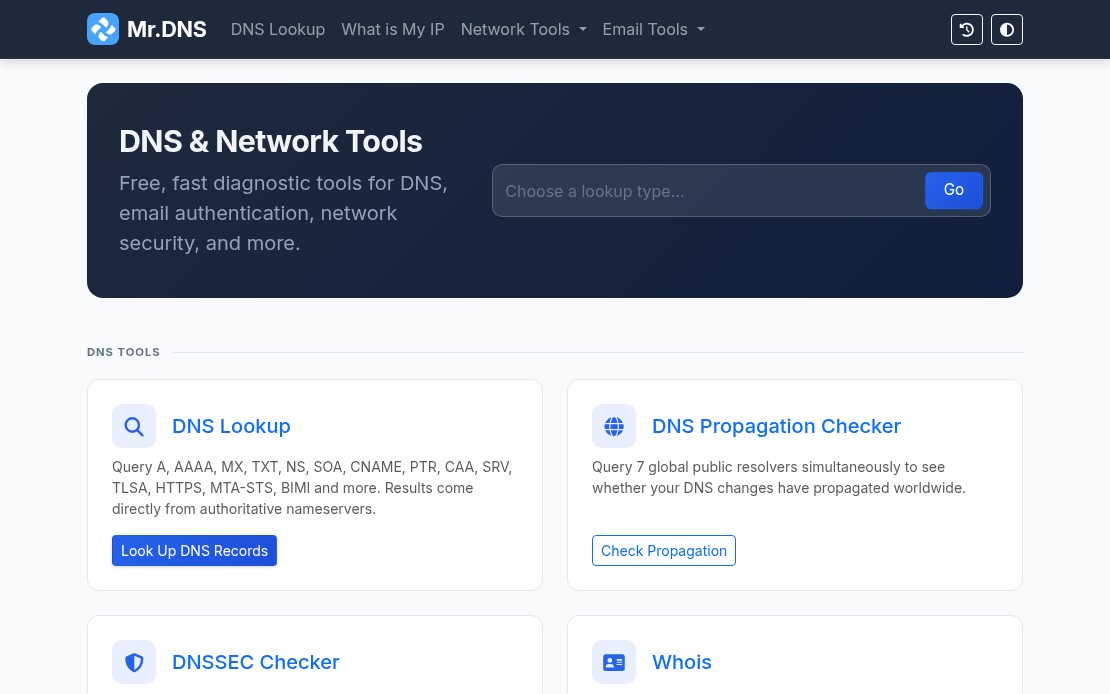
Mr. DNS is a free collection of DNS and network diagnostic tools built for sysadmins, email administrators, and infrastructure teams. The site has been around for years, went offline for a while, and recently relaunched with an expanded tool set. Everything runs in the browser with no account required. If you work with DNS records, mail servers, or IP reputation, there is something here you will use regularly.

Mr. DNS homepage showing DNS and network diagnostic tools

DNS Tools

The DNS lookup tool handles all common record types: A, AAAA, MX, TXT, NS, SOA, CNAME, PTR, CAA, SRV, TLSA, HTTPS, MTA-STS, and BIMI. Results include TTL, geolocation data for nameservers, and flag icons for quick visual scanning.

The DNS propagation checker queries seven global resolvers simultaneously: Cloudflare, Google, Quad9, OpenDNS, AdGuard, NextDNS, and DNS.SB. Useful when you have just made a DNS change and need to see where it has landed without waiting or querying each resolver manually.

The DNSSEC checker validates the full chain of trust: DS records, DNSKEY records, RRSIG presence, and expiry. Good for confirming a DNSSEC deployment before and after changes.

Email Tools

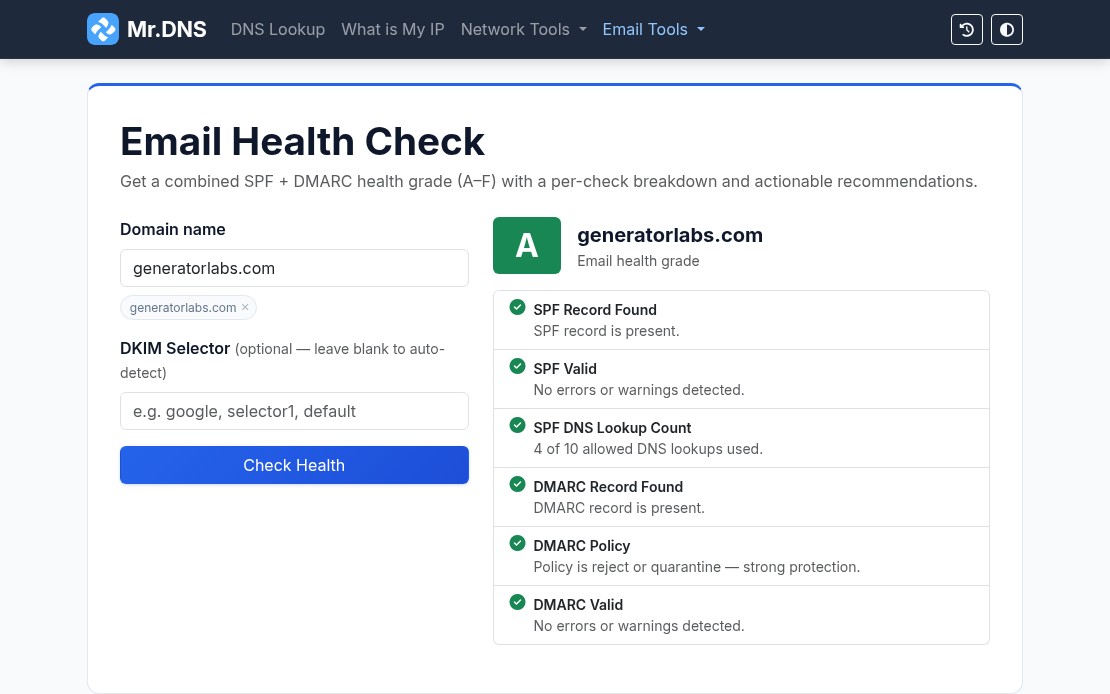
The email tools are where Mr. DNS gets most of its daily use. The email health checker runs a combined SPF and DMARC evaluation and returns a letter grade (A through F) for your domain. One URL, one result, easy to share with a client or manager who needs a status report.

Mr. DNS email health checker showing an A grade for generatorlabs.com

Individual checkers are also available for SPF, DMARC, and DKIM when you need to dig into a specific record. The email header analyzer parses raw RFC 2822 headers and maps the full relay chain with per-hop timing and authentication results, useful for tracing a delivery failure or diagnosing a spam classification issue.

For teams managing outbound mail infrastructure, the MTA-STS checker validates DNS records and policy files, and the BIMI checker verifies SVG logos and VMC certificates for domains using brand indicators in supported mail clients.

Blacklist Checker

The blacklist checker queries your IP or domain against 15+ major RBLs and returns results in seconds. It is a solid first step when a client reports deliverability problems or when you are onboarding a new IP range and want a quick baseline.

For teams that need ongoing coverage rather than one-off checks, blacklist monitoring from Generator Labs runs continuous checks against hundreds of data sources and sends immediate alerts when a listing is detected. The free tier covers one host with no credit card required.

SSL and Network Tools

The SSL certificate checker inspects certificate details, expiry dates, SANs, issuer chain, and key type for any domain. Useful for a quick manual check before or after a certificate renewal.

For automated tracking across many domains, certificate monitoring from Generator Labs handles the ongoing work: scheduled checks, configurable expiry alert thresholds, and multi-channel notifications before anything expires.

Other network tools include ping, traceroute, port checker, HTTP headers inspector, HTTP/2 and HTTP/3 checker, and a what is my IP tool that detects both IPv4 and IPv6 with geolocation and ASN data.

Generators

Mr. DNS includes generators for SPF records and DMARC records for teams setting up email authentication from scratch. Both walk through the options and output a ready-to-paste DNS record.

Bottom Line

Mr. DNS covers the diagnostic side of DNS and email infrastructure without requiring an account or payment. For the monitoring side, Generator Labs provides continuous blacklist monitoring and certificate monitoring with alerting, picking up where the one-shot tools leave off. Both are worth bookmarking if you manage any kind of mail or DNS infrastructure.

Mr.DNS Network Tools v1.9

This Mr.DNS release includes support for the AAAA (IPv6) record, the LOC record (for storing geo-location information in DNS)

and all the DNSSEC resource records (DNSKEY, RRSIG, NSEC, DS, NSEC3 and NSEC3PARAM).

This release is also the first release to us our new Net_DNS2 PEAR module. This module is significantly faster than the Net_DNS module, using new PHP5 constructs, exceptions, and includes many more RR’s.

Net_DNS2 is available for download from theĀ Google Code page, and soon from the PEAR site and command line PEAR installer.

Mr.DNS Network Tools v1.7

I’ve released a new version of the Mr.DNS Network Tools website.

This release just has one new feature – “Website Neighbors”; this gives you a comprensive list of all the websites hosted on the same IP address as the IP address or hostname provided.

Hosting hundreds if not thousands of sites, on a single IP address is fairly common practice for shared web hosting providers- there’s absolutely nothing wrong with it, but this gives you a good idea of how many, and what sites are hosted on the same system as your website.

This list is never 100% complete, but it will give you a fairly accurate estimate.