Tag Archives: tls

MTA-STS and TLS-RPT: Enforcing TLS on Inbound Mail

SMTP encryption is opportunistic by default, which means it is optional, which means it is strippable. A sending server connects, looks for STARTTLS in the EHLO response, and upgrades if it sees it. Remove that one line in transit and the sender falls back to plaintext without complaint, because it has no way to know TLS was ever supposed to happen. MTA-STS is how you tell it.

Why STARTTLS Alone Is Not Enough

The gap is that opportunistic TLS has no expectation to violate. A sender that fails to negotiate TLS has no basis to refuse delivery, since plenty of legitimate mail servers still do not offer it. Certificate validation is usually skipped for the same reason: a mail server presenting a self-signed or expired certificate is common enough that treating it as fatal would break real delivery.

So the default posture is an encrypted channel to an unverified party, downgradeable by anyone in the path. MTA-STS, specified in RFC 8461, lets a receiving domain publish a policy saying TLS is required, the certificate must validate, and here are the hostnames allowed to receive mail. Senders that implement it will refuse to deliver rather than fall back.

The Three Pieces

First, a DNS TXT record at the _mta-sts label telling senders a policy exists:

_mta-sts.example.com.  IN  TXT  "v=STSv1; id=20260916120000Z;"

The id is the whole mechanism for cache invalidation. Senders compare it against the one they saw last time, and they only re-fetch the policy when it changes. Bump it on every policy edit or your change will not be noticed until caches expire on their own.

Second, the policy itself, served over HTTPS from a specific host and path:

https://mta-sts.example.com/.well-known/mta-sts.txt
version: STSv1
mode: enforce
mx: mail.example.com
mx: mail2.example.com
max_age: 604800

mode takes enforce, testing, or none. Every MX that can receive mail for the domain needs a line, and a wildcard like *.example.com matches only the leftmost label, so it covers mail.example.com and not foo.bar.example.com. max_age is in seconds with a ceiling of 31557600, about a year.

Third, and this is the part people trip over: the mta-sts host serving that file needs a valid, publicly trusted certificate of its own. The policy is only as trustworthy as the HTTPS connection that delivered it, so a sender that cannot validate that certificate discards the policy entirely. You have now made your mail delivery depend on a certificate on a host that has nothing else to do with mail, which is exactly the kind of endpoint that quietly expires.

Start in Testing Mode

Publishing mode: enforce as the first step is how you find out about your forgotten backup MX by having mail to it rejected. mode: testing makes senders evaluate the policy, report failures, and deliver anyway.

Leave it there long enough to see a full cycle of your real traffic. A week is reasonable, longer if you have partners who send in bursts. The reports are the point of the exercise, which brings up the other half.

TLS-RPT Tells You What Broke

RFC 8460 defines a companion record that asks senders to report what happened. It is cheap to add and it is the only feedback channel you get:

_smtp._tls.example.com.  IN  TXT  "v=TLSRPTv1; rua=mailto:tlsrpt@example.com"

Reports arrive as JSON, daily, from each sending organization that implements it. The useful part is the failure detail:

{
  "organization-name": "Example Sender Inc",
  "date-range": { "start-datetime": "2026-09-16T00:00:00Z",
                  "end-datetime":   "2026-09-16T23:59:59Z" },
  "report-id": "2026-09-16T00:00:00Z_example.com",
  "policies": [{
    "policy": { "policy-type": "sts", "policy-domain": "example.com" },
    "summary": { "total-successful-session-count": 8214,
                 "total-failure-session-count": 17 },
    "failure-details": [{
      "result-type": "certificate-host-mismatch",
      "sending-mta-ip": "203.0.113.9",
      "receiving-mx-hostname": "mail2.example.com",
      "failed-session-count": 17
    }]
  }]
}

The result-type values are specific enough to act on directly. starttls-not-supported, certificate-expired, certificate-host-mismatch, certificate-not-trusted, validation-failure, and on the policy side sts-policy-fetch-error, sts-policy-invalid, and sts-webpki-invalid. That last group points at your policy host rather than your mail servers, which is a distinction worth internalizing before you start debugging the wrong machine.

The Ways This Bites

Caching cuts both ways. Once a sender has your policy with a week-long max_age, a mistake persists for that long even after you fix the file, unless the sender happens to re-check the id. Adding an MX means updating the policy and bumping the id before the new host starts receiving, and doing it in that order.

The certificate on the mta-sts web host is the failure nobody plans for. It is usually a static file on a server that gets less attention than the mail infrastructure, and when it expires, compliant senders stop trusting your policy. Whether that means mail is deferred or the policy is simply ignored depends on the sender.

Your MX certificates now genuinely have to be correct as well. Names have to match what the policy lists, chains have to be complete, and expiry stops being cosmetic. That is the point of turning it on, and it is worth knowing before you flip to enforce.

To check what you have published, the MTA-STS checker on mrdns.com fetches the record and the policy together and tells you whether they agree. For the mail server configuration underneath it, goodtls.com has per-application guides covering Postfix, Exim, Dovecot, and the rest.
The 200-Day Certificate Is Already Here

Most of the coverage of shrinking certificate lifetimes is written as a warning about 2029. That framing is five months out of date. The first step already happened: since March 15, 2026, publicly trusted TLS certificates have been capped at 200 days. If your renewal process still assumes an annual cadence, it is already wrong.

The Schedule

CA/Browser Forum ballot SC-081v3 passed in April 2025 and set out a staged reduction rather than a single cliff:

before 2026-03-15    398 days
from   2026-03-15    200 days     <- in force now
from   2027-03-15    100 days
from   2029-03-15     47 days

Domain validation data reuse shrinks alongside it, from 398 days down to 10 days for SAN validation by the 2029 milestone. That second number gets less attention and matters more for anyone with a manual approval step, because it means the validation itself stops being something you do once a year and file away.

The values are deliberately awkward. 200, 100, and 47 are not round, and the reasoning is that a number you cannot map onto "twice a year" or "once a quarter" discourages anyone from building a manual calendar reminder around it. Whether that works as intended, it does communicate the intent clearly enough.

What Actually Breaks

ACME-managed web servers are fine. If nginx or Apache is fronted by certbot or an equivalent, the cadence change is invisible. The breakage is concentrated in the places nobody automated, and in my experience it is the same short list every time.

Appliances with no ACME client. Load balancer management interfaces, older firewalls, IPMI and out-of-band controllers, storage arrays, VPN concentrators. Many of these accept a certificate only through a web form. Some accept only a specific bundle format. At 398 days that was an annual annoyance somebody remembered. At 100 days it is quarterly, and at 47 days it is not survivable by hand.

Non-HTTPS services. Mail is the big one, because a mail server presents a certificate on SMTP, submission, IMAP, and POP3, and renewing the web certificate does nothing for any of them unless something copies the file and reloads the daemon. The reload is the step people forget. A renewed certificate sitting on disk while the running process holds the old one in memory is an outage waiting for the expiry date.

Pinned certificates and manually distributed trust. Anything where a partner has your specific certificate configured on their end now needs that coordination three to seven times a year instead of once.

What to Do About It

Inventory first. You cannot automate endpoints you do not know about, and every environment I have looked at has certificates nobody remembered issuing. Scan your own address space by port rather than trusting a spreadsheet.

Automate what can be automated, then deal honestly with what cannot. For the appliance that genuinely has no API, the answer is a documented runbook with an owner and a calendar entry, not an intention. Write down who renews it, how, and what breaks if they do not.

Then monitor the endpoint rather than the issuance. This is the part people skip. Certificate management tools tell you what they issued, and they cannot tell you what a client actually receives, which is where incomplete chains, stale files, and un-reloaded daemons live. A quick manual check of what a server is presenting:

openssl s_client -connect mail.example.com:465 -servername mail.example.com </dev/null 2>/dev/null \
    | openssl x509 -noout -subject -dates

For a one-off look at a public endpoint, including the chain, the SSL check on mrdns.com does the same thing without the command line. For getting the underlying configuration right on whatever you are running, goodtls.com has per-application guides, including the mail servers and databases that tend to be the ones running on expired certificates.

The one thing I would push back on is treating 2029 as the deadline. March 2027 is the milestone that hurts, because 100 days is where quarterly manual renewal stops being merely tedious and starts producing outages. That is seven months away.

SSL Certificate Monitoring That Goes Beyond Expiration Dates

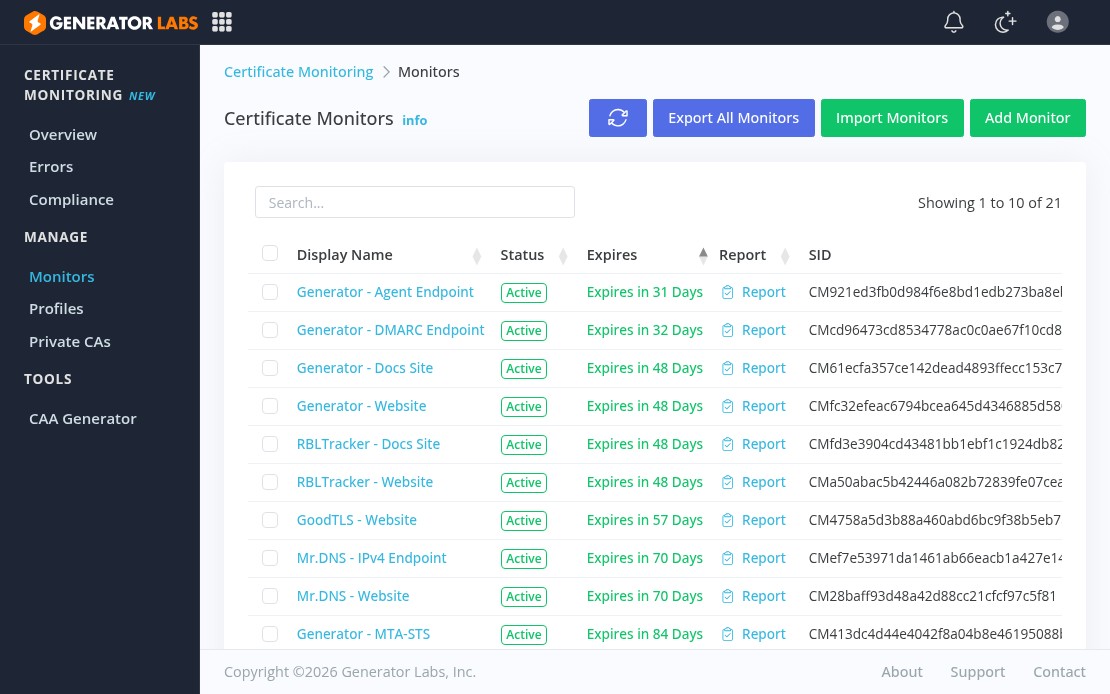
Generator Labs certificate monitoring portal showing active monitors

Most certificate monitoring tools do one thing: alert you when a certificate is about to expire. That’s useful, but expiration is only one of the ways a certificate can fail. Generator Labs certificate monitoring runs eight independently configurable checks on every scan, so you catch problems that a basic expiry check misses entirely.

What Gets Checked on Every Scan

Each monitoring profile supports up to eight alert types:

  • Expiration: configurable thresholds anywhere from 0 to 90 days out, up to 10 per profile
  • Chain integrity: catches missing or expired intermediate certificates before clients do
  • Hostname mismatch: flags certificates that don’t cover the host they’re serving
  • CA trust failure: alerts when a certificate can’t be validated to a trusted root
  • Revocation: detects certificates that have been pulled by their issuing CA
  • Fingerprint changes: tracks renewals and unexpected replacements
  • Certificate flapping: multiple fingerprint changes in a short window, often a load balancer misconfiguration
  • Missing or misconfigured CAA records: ensures only authorized CAs can issue for your domains

All eight can be toggled independently per profile, so you can be aggressive on production hosts and quieter on staging or internal infrastructure.

Monitoring Profiles

Profiles group hosts with shared settings. A common pattern is a Production profile with tight thresholds and PagerDuty alerts, a Staging profile with looser thresholds and email-only, and a separate Internal profile for private CA hosts. Profile changes apply immediately across all assigned hosts.

Internal and Private Certificate Monitoring

External checks can’t reach internal services, self-signed certificates, or private CA infrastructure. The private certificate monitoring agent is a lightweight Docker container you deploy inside your network. It checks internal hosts and reports back to the platform over outbound HTTPS. No inbound firewall rules needed, and private keys never leave your network.

Protocol Coverage

The monitor handles direct TLS on any port, plus STARTTLS for SMTP, IMAP, POP3, LMTP, FTP, and LDAP, and the implicit TLS variants: SMTPS, IMAPS, POP3S, FTPS, LDAPS. If TLS is running on it, you can monitor it.

Pricing

Certificate monitoring is $0.01 per host per day. No contracts, no minimums, no flat fees. You pay for active hosts only. Full details on the certificate monitoring pricing page.

Monitoring Internal and Private CA Certificates with Generator Labs

External certificate monitoring works well for public-facing infrastructure, but it has an obvious blind spot: it can’t reach anything inside your private network. Internal APIs, databases with TLS-encrypted connections, mail servers on non-public ports, self-signed certificates, and infrastructure issued by a private CA all go completely unmonitored. Those certificates still expire. When they do, the failures tend to be worse, because internal services rarely have the same visibility as public ones.

Generator Labs internal certificate monitoring solves this with a lightweight on-premise agent you deploy as a Docker container inside your network.

How It Works

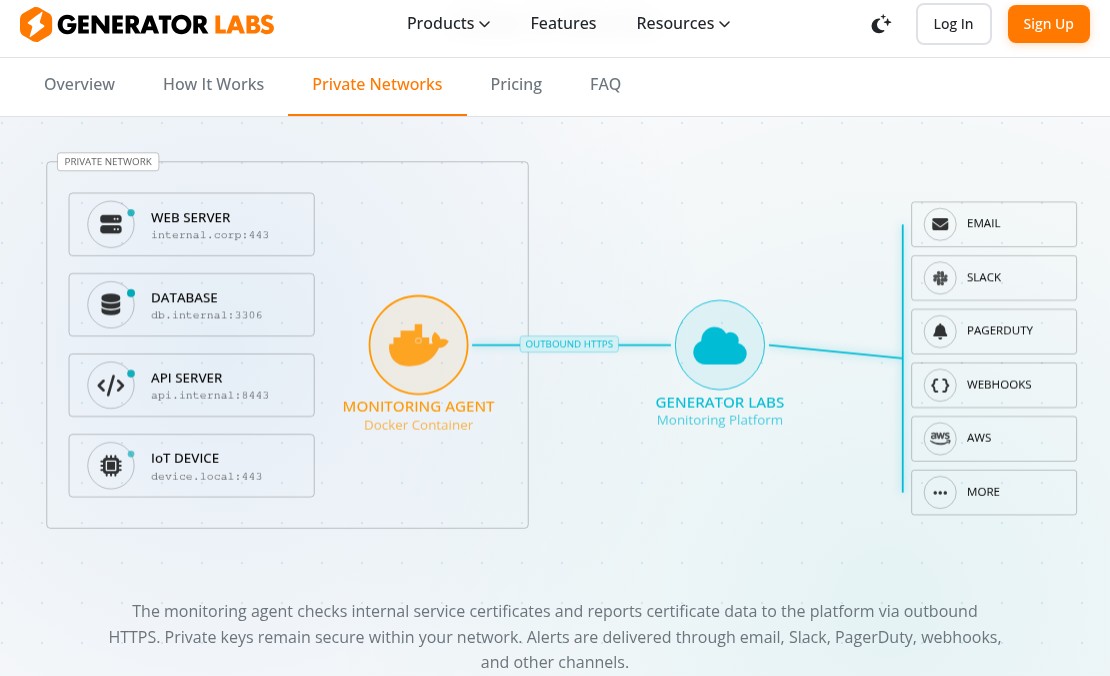
Diagram showing the Generator Labs private monitoring agent connecting internal hosts to the platform over outbound HTTPS

The agent runs inside your private network, connects to your internal hosts, retrieves their certificates, and reports the data back to the Generator Labs platform over outbound HTTPS. No inbound firewall rules are required. Private keys never leave your network. From the platform’s side, internal monitors look and behave exactly like external ones.

What It Can Monitor

The agent connects to any TLS endpoint your network can reach:

  • Internal web servers and APIs
  • Databases with TLS connections (PostgreSQL, MySQL, MongoDB, Redis)
  • Internal mail servers (SMTP, IMAP, POP3 with STARTTLS or implicit TLS)
  • IoT devices and embedded systems serving TLS on custom ports
  • Any service running TLS on any port

It runs the same eight checks as external monitoring: expiration, chain integrity, hostname validation, CA trust, revocation, fingerprint changes, flapping, and CAA records.

Private CA Support

If your internal certificates are issued by a private CA, you can import that CA’s root certificate into the platform. The agent then validates certificate chains all the way to your private root, so chain integrity checks work correctly for internally-issued certificates, not just publicly-trusted ones.

Alerts

All the same notification channels are available: email, Slack, PagerDuty, Discord, webhooks, AWS SNS, and more. Internal certificate expiration or chain failures trigger the same alert pipeline as any other monitoring event.

Getting Started

The agent is open source and available at github.com/generator-labs/agent. Deploying it takes a few minutes: pull the Docker image, set your API credentials as environment variables, and configure the hosts you want to monitor. Full setup instructions are on the internal certificate monitoring page.

GoodTLS: Expert TLS/SSL Configuration Guides for Every Stack

TLS configuration is one of those things everyone knows matters, but the documentation across different platforms is fragmented, inconsistent, and sometimes outdated. GoodTLS collects expert-recommended TLS/SSL configuration guides in one place, organized by application. No sifting through Stack Overflow threads or vendor docs that haven’t been updated since TLS 1.0 was acceptable.

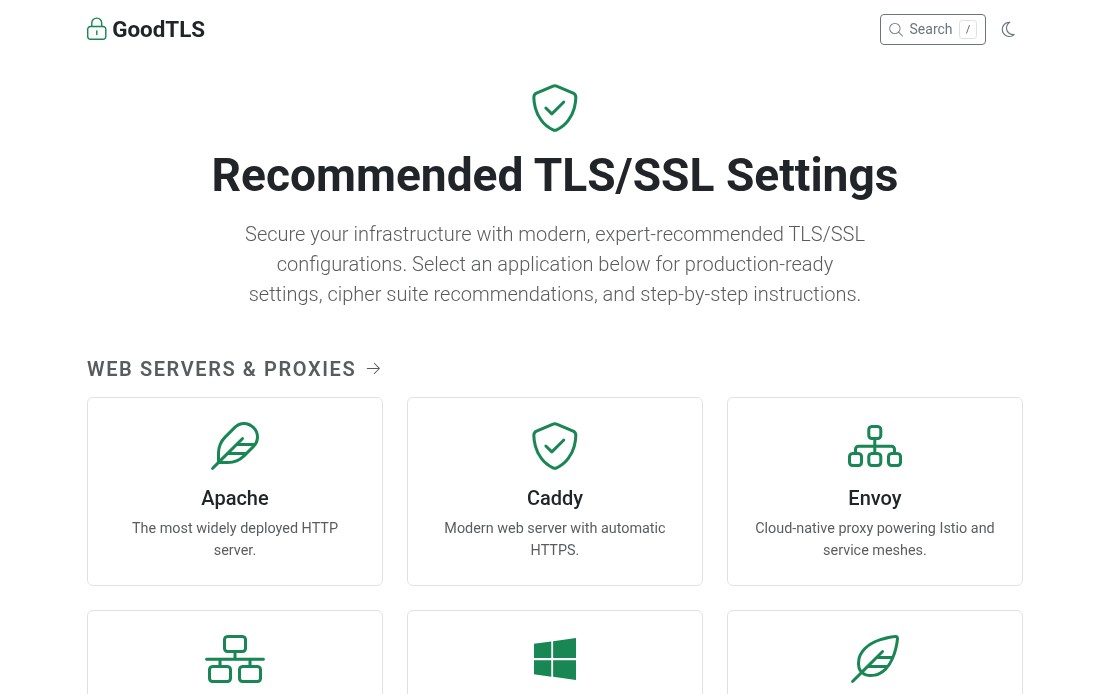
GoodTLS homepage showing TLS/SSL configuration guides by application

Web Server Guides

The most common use case, and where TLS configuration has the most visibility. GoodTLS covers the major web servers with guides that focus on what actually matters for a modern deployment: TLS 1.2/1.3-only configurations, AEAD-only cipher suites, OCSP stapling, and secure header settings.

Each guide goes beyond a copy-paste snippet and explains the tradeoffs: which cipher suites to drop, why session ticket rotation matters, and what HSTS preloading requires.

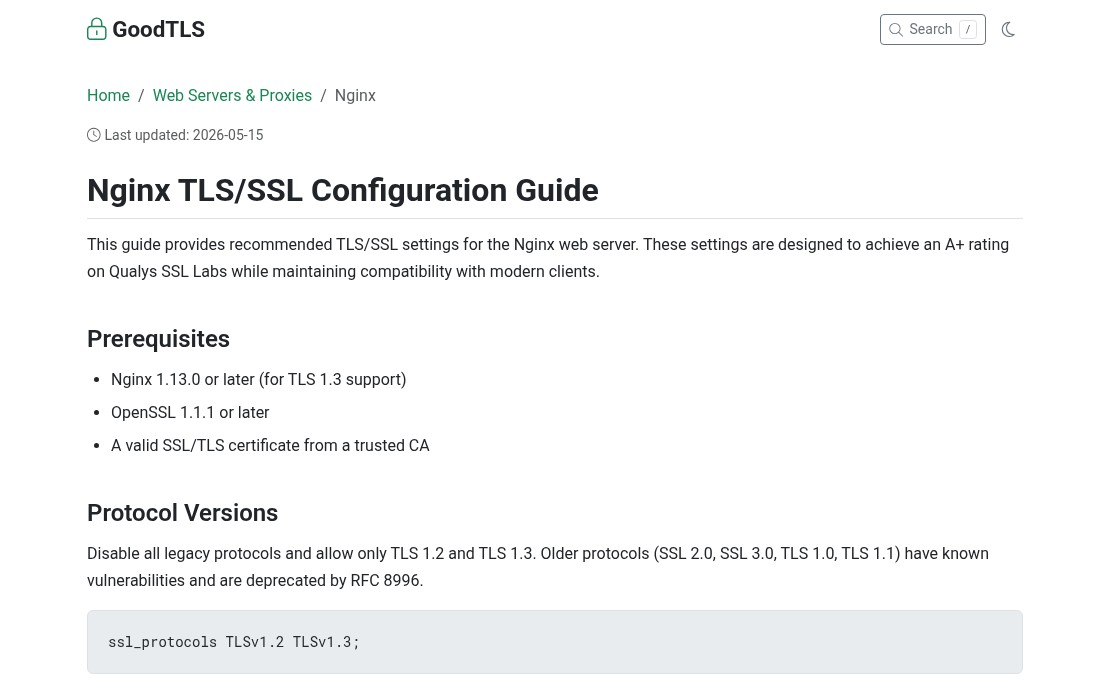
GoodTLS Nginx configuration guide showing protocol version settings

Mail Server Guides

Mail server TLS configuration has real deliverability implications. Get the STARTTLS settings wrong and you are either degrading security or breaking mail flow. The Postfix TLS guide and Exim TLS guide cover both outbound and inbound TLS configuration, certificate requirements, and policy enforcement. Dovecot and Sendmail are covered as well.

If you are running your own mail infrastructure, certificate hygiene is part of the picture. Certificate monitoring tracks expiry across all your domains and alerts before anything lapses. An expired cert on your SMTP server will cause delivery failures before most teams even notice. On the deliverability side, blacklist monitoring watches your sending IPs against hundreds of blocklists so you catch reputation problems early.

Database and Infrastructure Guides

Database TLS is frequently an afterthought, but it is essential for any environment where the application and database are not co-located, or where compliance requirements apply. GoodTLS covers:

For infrastructure that handles DNS over TLS or encrypted replication traffic, having a reference for the correct cipher and protocol settings saves time and avoids the configuration drift that comes from guessing.

Why Configuration Quality Matters

A misconfigured TLS stack is not just a security risk. Weak cipher suites, missing OCSP stapling, and deprecated protocol versions can trigger browser warnings, fail PCI DSS or SOC 2 security scans, or cause mail rejections from strict receiving servers. The cost of getting it wrong shows up in unexpected ways.

GoodTLS is free to use and covers most common application stacks. If you are also looking to automate certificate monitoring across your infrastructure, Generator Labs certificate monitoring tracks SSL/TLS certificate expirations with automated alerts before they become outages.